Dynamic Network Visualisation
NetLanvas is an advanced, containerized appliance architecture designed for localized network polling, layer 2/3 topology visualization, and centralized API data aggregation. Built for the modern edge, it dynamically tracks device states and infers deep structural bridges without external cloud dependencies. Designed to run on Arm64, Raspberry Pi 5 or similar Hardware, or AMD64 Hardware running Linux and Docker.
No install required — explore the full UI right now
Watch It In Action
Music: "Backdrop" by audiodollar via Pixabay
System Interfaces
See it running live — a read-only demo against a real (sanitized) network, no install required. Launch the live demo →
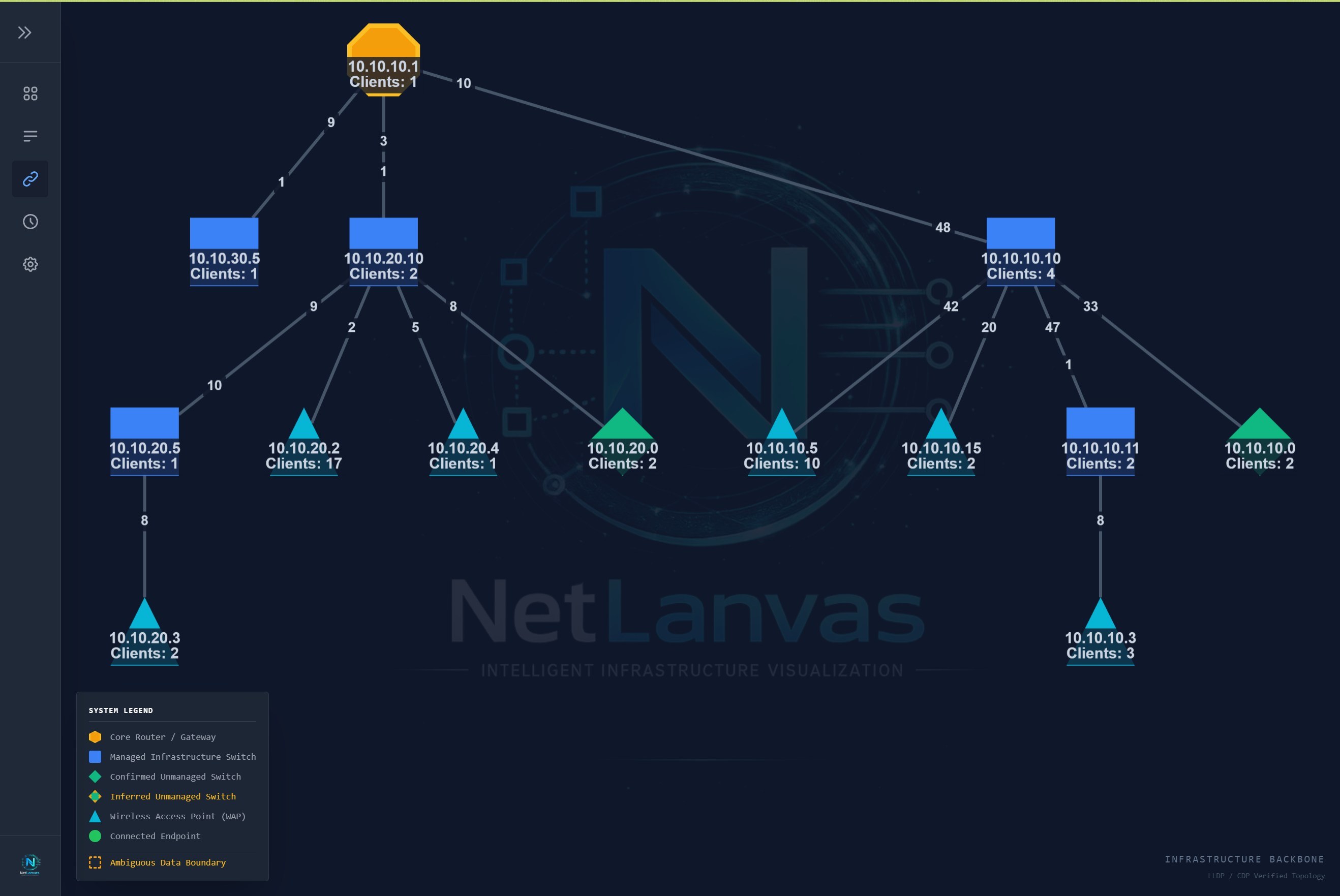
Graphical Topology View
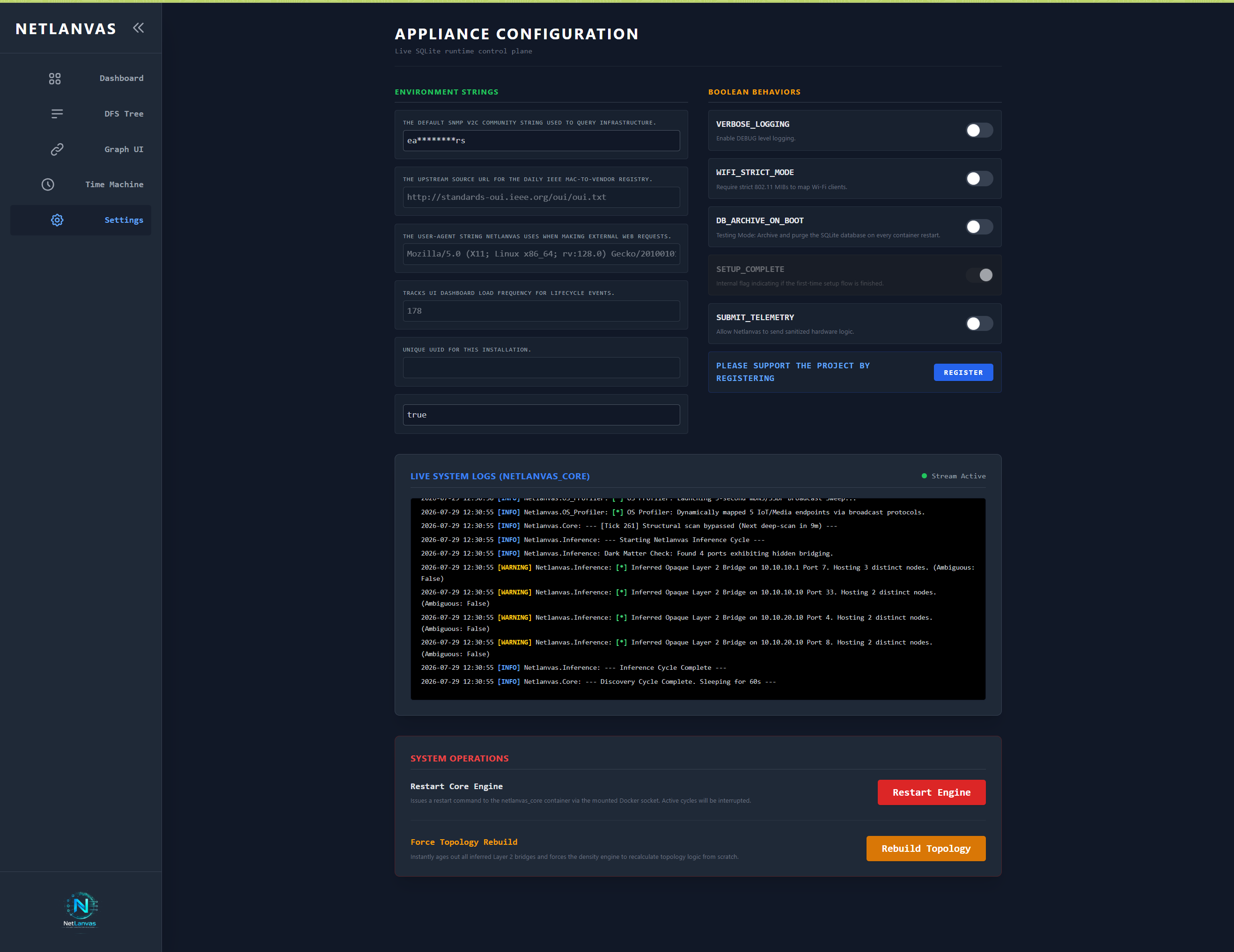
Settings Dashboard
Latest Changes and Additions
VLANs are now discovered and named automatically, with a dedicated registry page showing which subnets belong to which VLAN — editable without losing what NetLanvas already knows. The initial scan is noticeably faster too: each device is polled once instead of once per IP it happens to own, and the startup screen now shows real progress and time remaining instead of a fixed animation.
New: a live, read-only demo is now available above — explore the full UI against a real (sanitized) home network before installing anything.
Appliance Deployment
Download Stack FileTo instantiate a production NetLanvas node on an arm64/Debian or amd64/Linux, execute the command sequence below. Upon successful container ignition, the user interface will automatically bind to host port 8899.
Help Shape The Architecture
As a Beta release, deployment telemetry and bug reports are critical. We welcome all feedback, feature requests, and edge-case topologies to stabilize the 1.0 production release.
Appliance Removal
To fully remove a NetLanvas node, stop and delete its containers, then optionally remove the downloaded images and any stored data. Step 3 below is irreversible and permanently deletes all topology history, settings, and the admin login -- skip it if you intend to reinstall later and keep your existing configuration.